
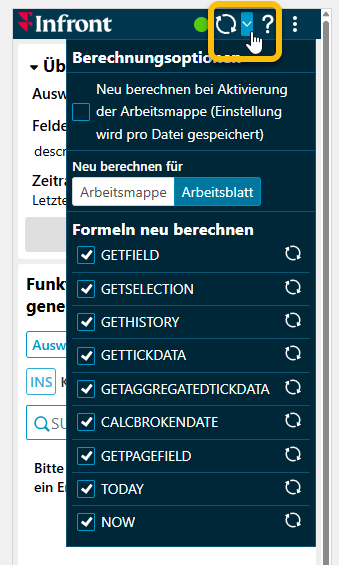
In the Infront Add-in for Excel, you can configure the scope of calculations during updates. The corresponding settings are available in the menu of the refresh icon.
-
If you want a recalculation to be triggered when the workbook is activated in Excel, select the upper checkbox. (This setting is saved for each file.)
-
Below, select whether you want to recalculate the entire workbook or the worksheet by selecting the appropriate button.
-
In the “Recalculate formulas” section, you can also activate or deactivate the respective formulas for calculation using the individual checkboxes.